
Searching Wilson County Cases by Name
No single Wilson portal searches names across every court. So begin by pinning down the court level. Use a notice, a filing, a citation, or where the matter arose. Misdemeanor requests to the County Clerk run on a name plus other identifiers. For broader coverage, re:SearchTX opens eligible statewide search areas. Floresville keeps its own citation portal, and the weekly district PDFs are browsed by date.
- Choose district, county, JP, municipal, state, or federal court.
- Use last and first name only where the official tool supports them.
- Narrow results by case type, county, court, or date.
- Match a result with the cause or citation number.
- Confirm the entry and request documents from the custodian.
| Field Label | Type | Required | Notes |
|---|---|---|---|
| Last name | Text | Varies | Start with exact spelling. |
| First name | Text | Varies | Helps reduce common-name matches. |
| Court or case type | Filter | No | Separates unlike record groups. |
| Date range | Date | No | Use filing or setting period. |
Wilson Search Starts With Court
Each clerk owns a different slice. The District Clerk keeps district civil, family, and felony-related records. The County Clerk handles county civil, probate, and its published misdemeanor search. Four JP clerks hold precinct matters. Each municipal court keeps its own Class C and ordinance cases. Federal cases for Wilson County travel the Western District's San Antonio PACER route.
A city name alone can mislead. Poth hosts both a municipal court and JP2. Floresville holds county offices, JP offices, and a municipal court all at once. Read the issuing court and number straight off the notice. If anything is uncertain, the Wilson County contact directory gives direct clerk lines.
Searching Wilson Cases by Number
A case or cause number is the best local key. No one universal format spans all Wilson courts. District appearance sheets label a docket number, though, and pair it with WILS CR or WILS CV publication codes. A municipal citation number and a JP docket number live in different systems entirely.
Type the number exactly as printed, letters, year segments, hyphens, and leading zeros included. If a portal rejects it, never invent a format. Ask the named clerk whether the tool wants punctuation stripped out. When you request help, give the court and the county or city. Add the party style and the filing or setting date.
Wilson Weekly PDFs Are Date Browses
The 81st and 218th weekly index is organized by week, county, and docket type. It offers no public name field. Pick the week you need. Then open WILS CR, WILS CV, and any additions or Zoom list that fits the case.
A PDF here can reveal the number and the scheduled time. It also shows the case type, a short style, attorneys, and a setting comment. It does not promise a complete register or a final disposition. No bond data, financial history, or document downloads either. Treat it as a way to locate a setting. The case record itself belongs to the District Clerk.
What a Wilson Case Search Returns
What you get back depends on the channel. A district PDF is only an appearance schedule. re:SearchTX can expose eligible case, filing, text, hearing, and document detail depending on your access role and the record type. A clerk response may bring an index, a plain copy, or certified paper, while Floresville's city portal focuses on citations.
| Case number | The local identifier used to match and request the file. |
|---|---|
| Style or parties | The case caption, sometimes abbreviated. |
| Case type | Criminal, civil, family, probate, JP, or municipal category. |
| Filed or setting date | The event date shown by that source. |
| Status or comment | Only the wording actually supplied; a scheduled event is not an outcome. |
Floresville Has Six Search Paths
The official Floresville Municipal Court portal lists six routes. These are citation number plus date of birth, driver's license, vehicle information, name plus date of birth, Social Security number plus date of birth, and business name. Pick the least sensitive option that works. Never enter extra identifiers just because a form has room for them.
That portal covers Floresville municipal citations, not all Wilson County cases. Other municipal courts take different channels. La Vernia offers a payment wizard rather than a verified public case-search form. Nixon links FastGovPay with fields that may not render. Contact Poth and Stockdale directly.
Wilson Statewide and County Searches
The Texas Judicial Branch says plainly that no universal portal covers all Texas trial-court cases. re:SearchTX is an electronic access layer for participating, eligible material. It does not replace Wilson's clerks. Coverage and document access shift with case type and role, and the criminal limits matter most.
| re:SearchTX | Wilson local routes |
|---|---|
| Searches eligible participating records. | Routes directly to the responsible clerk. |
| May show cases, filings, text, hearings, or documents. | Weekly PDFs show scheduled district appearances. |
| Account and document charges may apply. | Local search, copy, and certification fees vary. |
| Useful for broader electronic checking. | Best for certified and missing local material. |
Wilson Misdemeanor Name Requests
The County Clerk publishes a request-based Wilson misdemeanor search. Without a case number, the search fee is $5 per name, and the clerk lists $1 per page for copies plus $5 for certification in that context. Confirm the amount and accepted payment before you mail anything.
USPS mail goes to P.O. Box 27, Floresville, TX 78114. The public counter sits in Suite 110 at 1420 3rd Street, but that physical address takes no USPS mail. Call 830-393-7308 or fax 830-393-7334. This search does not reach statewide, federal, or outside-county records.
Wilson Search Images and Documents
A search result does not always include the filed image. re:SearchTX may charge for accessible documents. A Wilson weekly docket gives you schedule text, not a complete document set. For petitions, indictments, motions, judgments, signed orders, or certified docket sheets, ask whichever clerk holds custody. That means the County Clerk or the District Clerk.
The statewide search landing page shows which courts and case types participate. It lays out the access roles and limits before you log in. Even so, it does not erase local clerk limits. It also does not prove Wilson coverage for every record.
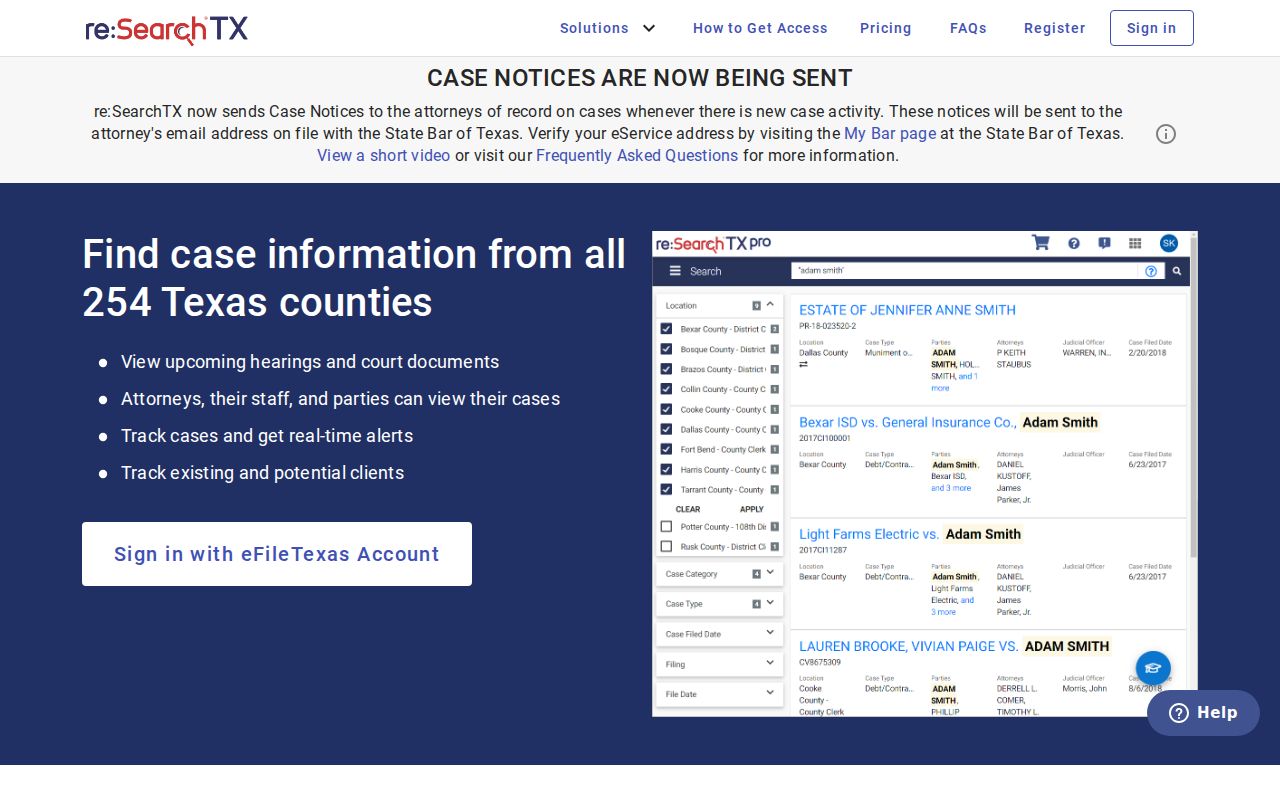
Think of this page as one more door into Wilson County court records, not a fix for every gap. The local clerk still sets the real limits on what a docket search can reach.
Wilson Restricted Case Search Access
Juvenile files, sealed cases, expungements, and protected mental-health or competency records often stay out of ordinary Wilson County docket results. Redaction rules also pull sensitive details from public court records. So when a search comes up empty, a few explanations fit. The law restricts it. Or it was never digitized, or the office simply has not joined the portal. A missing result is never proof that no record exists.
Blank is not the same as clean. Treat a hidden entry as a question, not an answer.
Use careful inputs: search with a case number, name, court, and date before resorting to more sensitive identifiers.
Texas OCA guidance explains the written Rule 12 route for covered judicial records, while case-file requests remain subject to clerk and court rules.
Plenty of paths still work when screens do not. The Wilson County clerk takes requests many ways. Options include the counter, telephone, fax, mail, electronic portal, and written letter. Tell the staff exactly what item you want and how you want it delivered. For federal civil, criminal, or bankruptcy records, skip state tools entirely. Those live with the San Antonio PACER court. That is the correct office to search.
Prepare a Wilson Search Request
A failed online lookup does not end the hunt. Send a tight, focused request to the clerk instead. Name the court level. Give the city or precinct, the county, and the cause or citation number. Add the full or short style and the filing or setting range. Say which record category you need. Name the exact item too, because a docket sheet, a filed document, a judgment, a certified copy, and a payment-status inquiry are all different asks. Add your contact and delivery details, and ask the clerk to confirm any charge before you commit.
Guard your personal data in that request. Do not send a full birth date, Social Security number, driver's license number, or account number. Send those only if the lawful official process truly requires it. Start with the least sensitive field and add more only if pressed. The clerk may not locate the item. Then double-check the court level. Ask whether the case is federal, municipal, sealed, juvenile, or filed in another county. Note the source and the search date too, so a later reader knows which result was current.
Both clerk offices sit in Floresville. The County Clerk takes USPS mail at P.O. Box 27 and walk-ins at Suite 110, 1420 3rd Street. The District Clerk works from 1105 Railroad Street. Their published phone lines are 830-393-7308 and 830-393-7322. A quick call can settle custody questions and current fees before anything goes in the mail. Fax service is documented for both offices as well. It is a handy fallback. Use it when a web portal or document link fails.